
Ask The Editors: HMF Optimizer Tuning
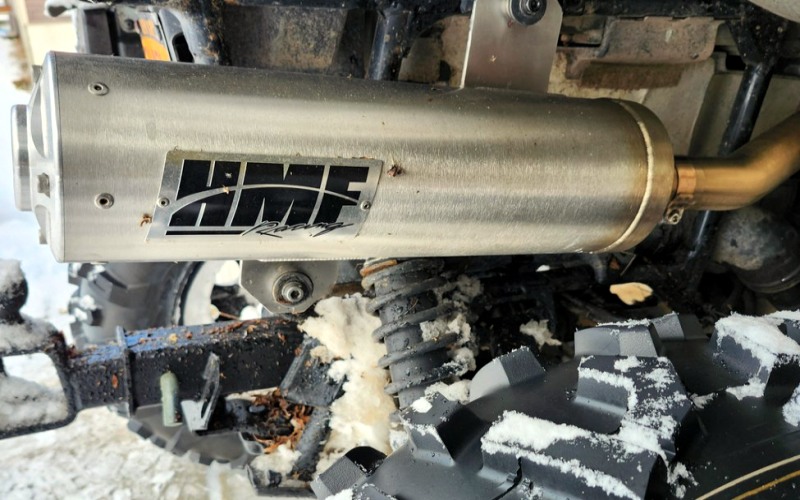
Optimize me.
First off, congratulations on spending the money to do it right. A lot of performance seekers go ahead and buy the aftermarket exhaust, install it then wonder why they aren’t experiencing any output gains. The truth is, if the engine isn’t tuned to reap the benefits of the new freer flowing exhaust space, you wasted a lot of money.
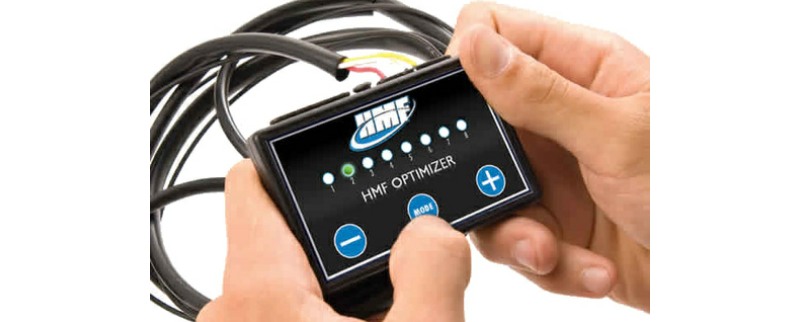
The HMF Optimizer is a neat little device for those who aren’t into hooking up their laptop and tweaking power curves to get the ratios correct. In other words, it takes the guess work out of the process. In fact it’s essentially a plug & play tuner – which is to say it comes preprogrammed with the optimal tuning specifications for your HMF exhaust in regard to your specific make and model.
What you refer to as the stock HMF tune is the one so articulate to the changes resulting in the exhaust swap that it doesn’t void the factory warranty on the machine itself.
That said, we get it – sometimes you want to feel a little extra bark for your bucks. Assuming you don’t mind taking the risk – the Optimizer is built to give you some tweaking abilities. Here’s how it breaks down:
There are 3 modes (press the mode button to access them) that will allow you to increase or decrease fuel percentage from the original fuel map.
Mode 1 – Green: This controls fuel delivery at lower throttle positions and RPM
Mode 2 – Yellow: This controls fuel delivery at mid-range throttle input and RPM
Mode 3 – Red: This controls fuel delivery in higher throttle positions and RPM
Yes there are 3 additional modes but you won’t need to dig into those to make the changes you’re seeking.
What we we do is grab your optimizer and a pad and pencil and change your fuel percentage ratios at one increment at a time (+ 1, ride it or -1 then ride it) with each of the 3 modes listed above individually. Write down what you did each time and test until you land on the combination that gives you the feel you’re looking for. Writing down what you changed in each range will keep you from ever straying too far from the original map should you manage to make things worse in your testing.
And in case you need a refresher –
Make all mode adjustments with the quad on and the engine idling.
To increase fuel percentage for any of the modes push the plus button. The colored LED light will move to higher numbers.
To decrease fuel, push the minus button. The LED will move to lower numbers.

You must be logged in to post a comment.